
Easy Guide on How to Change Garage Door Opener Code
If you’ve just moved into a new home or suspect someone has your old access code, knowing how to change your garage door opener code is one of the smartest things you can do as a homeowner. The good news? You don’t need to hire anyone to get it done. This is a straightforward home repair task that most people can handle in under ten minutes.
This guide to changing your garage door opener code walks you through everything clearly, from understanding your opener to programming a brand new code with confidence.
Why You Might Need to Change Your Garage Code
There are a few common reasons you might need to reset or update your code. Maybe you’re moving into a new home and want to clear out whoever had access before. Maybe a garage door remote went missing, or you simply want to update your code as a routine security habit.
Changing a garage door code is one of the easiest ways to protect access to your home without spending a dime on a technician. It’s something every homeowner should know how to do.
What You’ll Need Before You Start
Before you change a garage door keypad code, gather a couple of things:
- A ladder to reach the garage door motor unit (also called the opener unit)
- Your opener’s manual for instructions specific to your brand and model
- The new code you want to set – typically a 4-digit code
If you can’t find the manual, most brands like LiftMaster, Chamberlain, and Genie have their documentation available online. Knowing your opener’s brand makes it much easier to find the right steps.
Step-by-Step Guide to Changing Your Garage Door Opener Code
Step 1 – Clear the Old Code
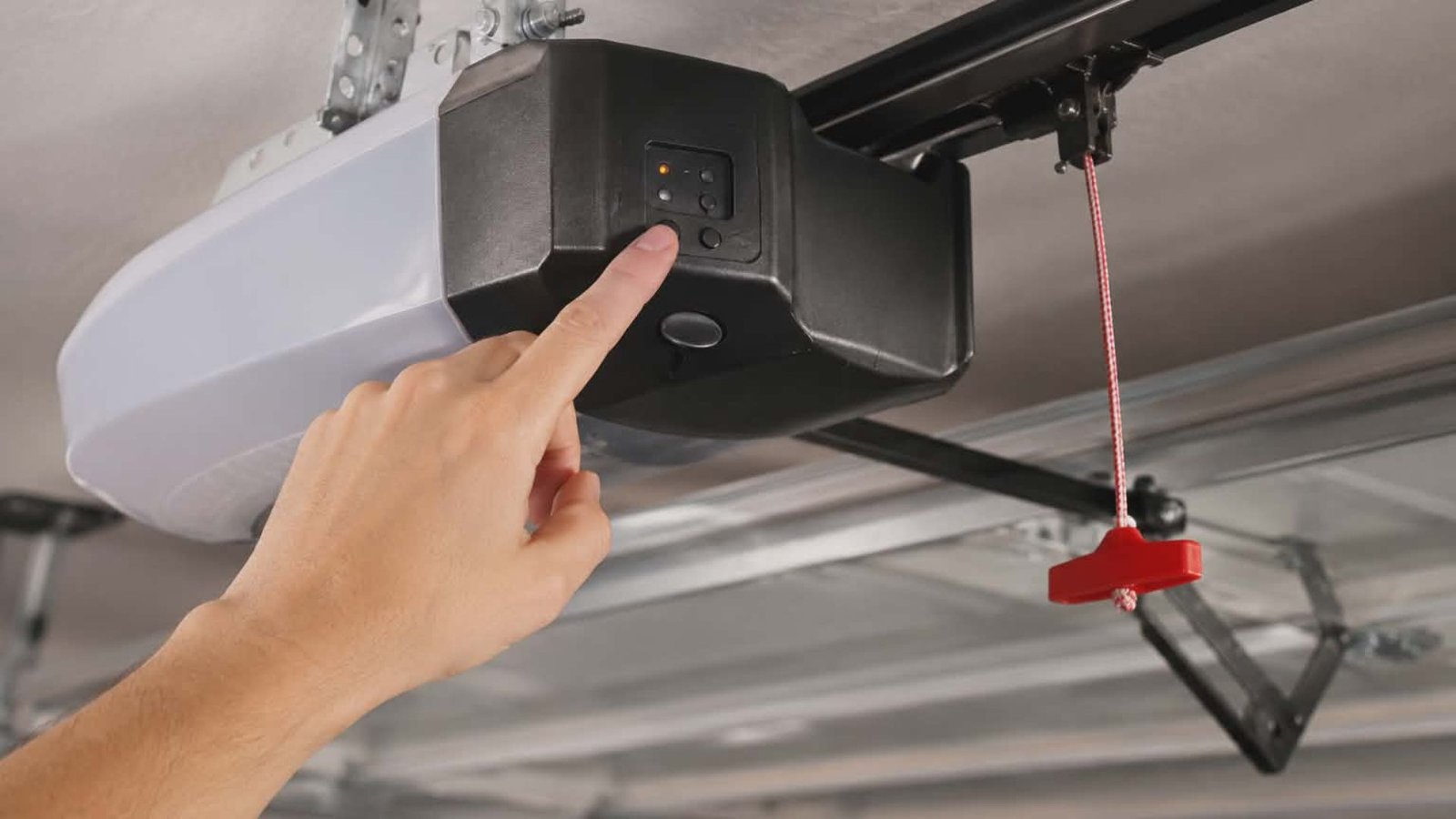
The first thing you’ll want to do is erase the old code stored in the opener. This is done directly on the garage door motor unit, not through the keypad.
Locate the “LEARN” button – usually a small colored button on the back or side of the motor unit.
Press and hold the learn button until the indicator light next to it turns off. This usually takes about six seconds and confirms the memory has been cleared. All previously programmed remotes and codes will be erased at this point.
Step 2 – Program a New Keypad Code
Now it’s time to set a garage door keypad code. Walk over to your wireless keypad, which is typically mounted outside your garage on the door frame.
Enter your desired 4-digit code on the garage door opener keypad, then press the “LEARN” button on the opener unit once and release it. The LED will light up briefly. Within 30 seconds, go back to the keypad and enter your new code again, then press the enter or send button. If done correctly, the opener light will flash, or you’ll hear two clicks, confirming the new code is active.
Step 3 – Test the Keypad Code
Enter your new code on the keypad to open the garage door. If the door moves, you’re all set. If nothing happens, repeat the process – timing matters here, since you need to sync the keypad within 30 seconds of pressing the learn button.
Don’t get discouraged if it takes a second attempt. This is normal, especially if you’re working with an older model.
How to Reprogram Your Remotes After Resetting
When you reset the code and clear the opener’s memory, you’ll also need to sync any garage door remotes you use. This step is easy to overlook but important.
To reprogram remotes, press the learn button on the opener once. Then, within 30 seconds, press and hold the button on the remote you want to sync. When the opener light blinks or you hear a click, the remote is paired. Repeat this process for each remote you want to work with the system.
If you use a smart garage door app or have a smart opener connected to your home’s Wi-Fi, you’ll need to reset the code through the app as well. Check your unit’s settings menu or consult the app for guidance.
Tips for a Craftsman Garage Door Keypad Code Reset
If you have a Craftsman model, the process is very similar, but the learn button is typically located on the back of the opener near the antenna wire. To reset a Craftsman garage door keypad, press the button until the indicator light blinks twice, then program the keypad within 30 seconds. Always refer to the manual for instructions if the light sequence looks different.
Keeping Your Garage Door Code Secure
Once you’ve completed changing your garage door code, there are a few habits worth building.
Change your code periodically – every six to twelve months is a good rule of thumb. Avoid using obvious combinations like birth years or repeating digits.
If you have a smart garage door opener with remote access and remote control features, make sure your app account is also secured with a strong password. A smart opener is only as secure as the account protecting it.
Also, if you’re moving into a home for the first time, treat it the same as you would the locks on your front door. Reset the code before anything else. It’s a simple step that delivers real peace of mind.
When to Call a Professional Instead
Sometimes, the need to reset your garage door opener code reveals a deeper issue. If the learn button isn’t responding, the opener keeps losing its programming, or the door won’t open and close properly after reprogramming, there may be a hardware or wiring problem behind the scenes. In that case, calling a trusted opener repair service is the right move.
Conclusion
Learning how to change a garage code is one of those small tasks that makes a big difference for your home’s security. With this step-by-step guide, most homeowners can handle it without any professional help. But if something isn’t working as it should, 2Quick Garage Doors Woodlands is ready to help. From opener repair to full installations, their team keeps your garage running safely. Call (346) 574-0359 to get started.