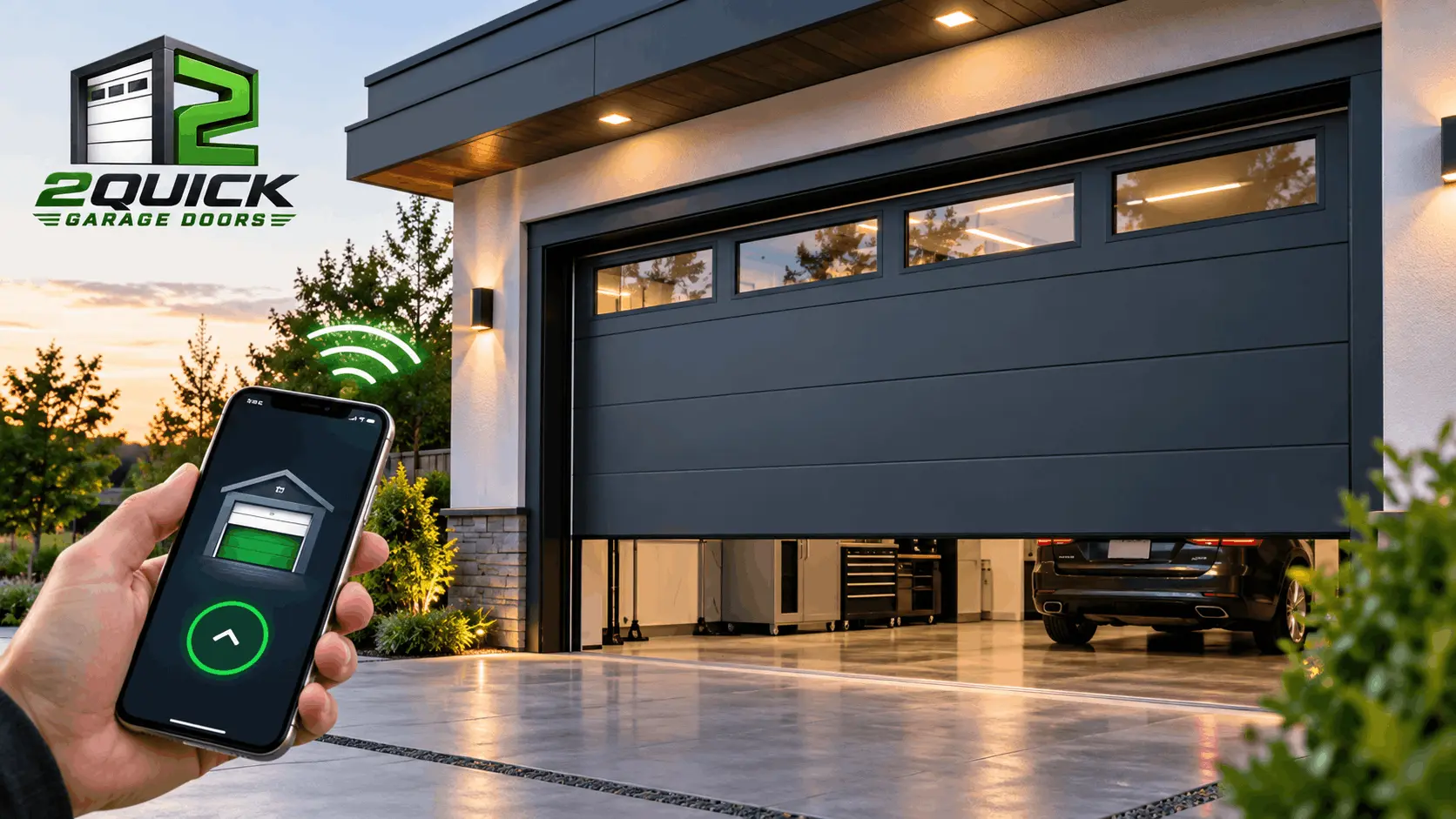
A garage door opener does more than raise and lower a garage door. Modern systems can connect to your smartphone, send real-time notifications, close the door automatically, and integrate with compatible smart home devices. However, not every upgrade offers the same practical value.
Understanding smart garage door opener features before purchasing a new system can help you avoid paying for technology you may rarely use. Some features improve everyday convenience, while others provide useful security alerts or help maintain access during a power outage. Premium options, such as built-in cameras and advanced home automation, may be worthwhile depending on how the garage is used.
For residential and commercial properties in The Woodlands, TX, choosing the right opener also means considering garage layout, noise levels, Wi-Fi coverage, door size, and how frequently the door operates.
This guide compares the most common smart opener features, explains their benefits and limitations, and helps you decide which upgrades deserve a place in your budget.
What Are Smart Garage Door Opener Features?
Smart garage door opener features are technologies that allow an opener to communicate with a smartphone, home network, or compatible smart home devices. Depending on the model, these features may let you check your garage door’s status, operate it remotely, receive activity alerts, create schedules, or view a live camera feed.
Traditional openers primarily rely on a wall button, remote control, or wireless keypad. A smart garage door opener adds connected functions without eliminating the need for reliable mechanical operation and safety equipment.
Some openers include Wi-Fi connectivity and app control as standard features. Others require a compatible smart garage door controller that connects to an existing opener. Available functions vary by manufacturer, model, app, and subscription plan.
The important distinction is that smart connectivity improves how you monitor and control your garage door, but it does not automatically make the door’s mechanical system safer or more reliable. The opener, door hardware, safety sensors, and installation all matter.
Smart Garage Door Opener Features Compared at a Glance
Before choosing a premium opener, compare what each feature actually does and whether it solves a problem you experience.
| Feature | Main benefit | Worth paying for? |
|---|---|---|
| Built-in Wi-Fi and smartphone app | Remote access and door-status monitoring | High priority |
| Real-time alerts | Notifications when the door opens, closes, or stays open | High priority |
| Automatic closing | Closes the door after a set period | High priority for many properties |
| Battery backup | Allows operation during certain power outages | High priority where outages are a concern |
| Rolling-code security | Helps protect against copied or replayed remote signals | Essential security baseline |
| Smart home integration | Connects the opener with compatible devices and routines | Depends on your setup |
| Built-in camera | Allows visual monitoring of the garage | Optional |
| Voice control | Hands-free operation through compatible assistants | Optional |
| Guest access and activity history | Helps manage access and review activity | Useful for some properties |
| Premium lighting | Improves visibility inside the garage | Depends on existing lighting |
The practical takeaway: Start with dependable operation, safety, reliable connectivity, useful alerts, and backup access. Consider cameras, voice commands, and advanced automation after those needs are covered.
1. Built-In Wi-Fi and Smartphone App Control
Built-in Wi-Fi is one of the defining smart garage door opener features. It connects a compatible opener to your network and allows you to use the manufacturer’s app to monitor or operate the door remotely.
For example, you could check whether the garage door is closed after leaving a property, open it for an expected visitor, or confirm its status while away. These functions can be particularly helpful when the garage is a primary entrance to a residential property or a regularly used access point at a commercial facility.
Why Wi-Fi connectivity is worth considering
Smartphone control can reduce the uncertainty of not knowing whether you closed the garage door. It can also make access management easier when multiple authorized users need to access the garage.
However, remote access depends on several things working together: the opener, its connected service, your internet connection, and the manufacturer’s app. If your Wi-Fi or internet connection goes down, remote app functions may become unavailable.
Before buying, check whether the opener has built-in Wi-Fi or requires an additional controller. Confirm that the app supports the functions you want and whether any of them require a paid subscription.
Worth paying for? Usually, yes, if you regularly want to monitor or control your garage while away. If you only use a wall button and remote, a connected opener may offer less day-to-day value.
2. Real-Time Garage Door Alerts
A smart opener can send notifications when the garage door opens or closes. Depending on the model and app, you may also receive alerts when the door remains open beyond a specified period or when an unexpected operation is detected.
These notifications add visibility to a part of the property that may otherwise be out of sight.
When are garage door alerts useful?
Imagine leaving a residential property and receiving a notification that the garage door is still open. Instead of wondering about its status throughout the day, you can check the app and take action if your system supports remote closing.
For commercial properties, activity notifications may help authorized users stay informed about garage access outside normal operating hours. However, notifications should complement—not replace—appropriate access controls and security procedures.
Keep in mind that an alert is not the same as a complete security system. Notifications depend on connectivity and correct system configuration, and an opener’s activity history may not identify the person operating the door.
Worth paying for? Yes, particularly if you frequently leave the property, use the garage as a main entrance, or want better awareness of garage activity. Check whether the alert types you need are included without an additional subscription.
3. Automatic Closing and Scheduled Operation
Automatic closing, sometimes called a timer-to-close feature, can close the garage door after a selected period. Some systems also support schedules or location-based automations through compatible apps and devices.
This feature addresses a common concern: forgetting to close the garage door.
For example, an authorized user might configure a compatible opener to close the door after it has remained open for a specified time. In a commercial setting, a suitable closing schedule may help support an established closing routine. The exact options and available settings vary by model.
What should you consider before enabling auto-close?
Automatic closing can be convenient, but it should never replace checking that the doorway is clear. Garage doors are heavy moving systems, and their safety sensors and reversing mechanisms must function correctly.
Before enabling automatic operation, confirm that the opener’s safety equipment is working, follow the manufacturer’s instructions, and understand how the system responds if an obstruction is detected.
For commercial applications, consider operating hours, vehicle movement, employee access, and whether scheduled closing could interfere with normal operations.
Worth paying for? For many residential properties, yes. For commercial properties, it depends on the facility’s access requirements and operating schedule. In either case, automatic operation should be used only with a properly maintained and functioning safety system.
4. Battery Backup for Power Outages
Battery backup allows compatible garage door openers to operate for a limited time when the main electrical supply is interrupted. This can be valuable when the garage is the primary way people access their vehicles or enter a property.
Without backup power, a standard electric opener will not operate normally during an outage. Many garage doors have a manual emergency release, but its use depends on the door’s condition and the manufacturer’s instructions.
Is battery backup worth the additional cost?
Consider how often the property experiences outages, whether vehicles need to enter or leave during an interruption, and whether another safe entrance is available.
For commercial facilities, also consider whether an outage could disrupt deliveries, vehicle access, or normal operations. The appropriate backup arrangements depend on the facility and its specific access requirements.
Battery backup has limitations. The number of operating cycles depends on the battery, its condition, the opener, and the door’s characteristics. Batteries also require maintenance and eventual replacement.
Worth paying for? Often, yes, when dependable access during a power outage is important. Confirm that the specific opener supports battery backup, whether the battery is included, and how long it is expected to last.
5. Rolling-Code Security and Access Protection
Security is an important part of comparing garage door opener features. Modern remote systems commonly use rolling-code technology, which changes the access code transmitted by the remote rather than repeatedly sending the same fixed code.
This helps protect against certain types of signal copying and replay attacks.
However, rolling-code security is not exclusive to smart openers. Many conventional modern openers already include it, so paying extra for Wi-Fi does not necessarily mean you are getting a stronger remote security system.
Other useful security functions may include the ability to disable a remote, manage keypad access, review activity, or share access through an app. Availability varies by system.
Smart opener security checklist
Before choosing a model, check whether it uses rolling-code technology, supports secure account authentication, receives software or firmware updates, and allows you to manage connected users.
Use a strong, unique password for your account and enable multifactor authentication if available. Remove access for people who no longer need it, and review any connected devices or third-party integrations.
For commercial properties, access permissions should reflect who needs entry and when. Smart access management can help, but it should be part of a broader security plan.
Worth paying for? Modern access security is essential, but rolling-code technology is a baseline feature to look for rather than an automatic reason to purchase the most expensive smart opener. Pay for additional access controls when they address a genuine need.
6. Smart Home Integration and Voice Control
Some smart garage door openers work with compatible smart home platforms, allowing you to include the garage in your household’s connected routines.
Depending on the opener and ecosystem, you may be able to use voice commands, connect the garage to other devices, or create an automation that runs under specific conditions.
For example, a compatible residential smart home routine might incorporate the garage door into a broader arrival or departure sequence. The available integrations differ considerably between brands.
Check compatibility before buying
Do not assume that an opener will work with every smart home platform simply because it has Wi-Fi.
Check the exact model’s compatibility with Amazon Alexa, Google Home, Apple Home, or another platform you use. Also verify whether remote operation, voice commands, and automation are supported in the way you expect.
Some systems restrict certain functions for security reasons, and others may require a separate hub, subscription, or additional setup.
Worth paying for? It depends on your existing smart home setup. If you already use compatible devices and automations, integration may add meaningful convenience. If not, it may be an unnecessary expense.
7. Built-In Cameras and Video Monitoring
Premium garage door openers may include an integrated camera that lets you view the garage through a connected app. Depending on the model, you may also get motion detection, recorded clips, two-way audio, or other monitoring functions.
A camera can provide visual context that a simple open-or-closed notification cannot. For instance, you may be able to see whether a delivery was placed inside the garage or check what is happening when an unexpected alert arrives.
However, a camera is not essential for every property.
Do you need a camera-equipped opener?
Consider whether you genuinely need visual monitoring and whether an existing security camera already covers the same area.
Check video quality, night vision, recording options, storage limits, privacy controls, and any recurring subscription costs. Some camera features may be restricted to paid plans, so compare the total cost rather than focusing only on the opener’s purchase price.
Worth paying for? Optional. A built-in camera can be useful for properties that need visual monitoring, but basic remote control and alerts may be sufficient for many users.
8. Guest Access and Activity History
Some connected garage door systems let account owners share access with other users. Depending on the platform, you may be able to manage permissions, invite household members, or review a record of garage door activity.
This can be helpful when family members, trusted visitors, employees, or authorized service providers need access without sharing a single remote control.
Before relying on these functions, verify whether the system supports temporary access, scheduled permissions, or individual user accounts. Not every opener offers the same level of control.
Activity history also has limitations. A record of an opening or closing event does not necessarily identify who operated the door unless the system specifically supports that capability.
Worth paying for? Useful if multiple people need access or you regularly coordinate entry. If only one or two people use the garage, advanced user management may not justify a premium.
9. Quiet Operation, Drive Type, and Motor Performance
Smart features are only one part of choosing a garage door opener. The drive system, motor capacity, and quality of installation also affect everyday performance.
A belt-drive opener is often a good option for an attached residential garage where noise matters, particularly when a bedroom or living space is nearby. Chain-drive systems are another common option, but their operating noise may be more noticeable.
Commercial garage doors can have different operating demands. The opener must be appropriate for the door’s size, weight, construction, and frequency of use. A system designed for a standard residential door may not be suitable for a heavier commercial door.
Soft start and stop functions, where available, can help produce smoother operation. However, they do not compensate for an unbalanced door, worn rollers, damaged tracks, or failing springs.
Worth paying for? Prioritize an opener that suits the door and its operating environment. For residential properties, quieter operation may provide more everyday value than a premium camera. For commercial properties, suitability for the door and its intended usage should come first.
10. Smart Garage Door Opener Features That May Not Be Worth the Extra Cost
Not every premium feature needs to be on your shopping list. The right choice depends on how the garage is used, what equipment is already installed, and what the upgrade costs.
A built-in camera when you already have coverage
If an existing security camera provides a suitable view of your garage, another camera may duplicate functionality. Compare the viewing angle, recording options, and subscription requirements before paying for an integrated one.
Voice control you are unlikely to use
Voice commands can be convenient, but they are not necessary for basic operation. If you rarely use voice assistants, the added integration may not change your daily routine.
Advanced automation without a clear purpose
Location-based triggers and complex routines can be useful, but they may require extra configuration or compatible devices. Consider whether a simple timer-to-close function would solve the same problem.
Premium app features locked behind subscriptions
An opener’s advertised capabilities may not all be included in the initial purchase. Review the manufacturer’s current subscription terms, including which features remain available without a paid plan.
Replacing a functional opener just to add Wi-Fi
A complete opener replacement is not always necessary. Depending on the existing unit, a compatible retrofit smart controller may provide app-based monitoring and control at a lower overall cost.
Before purchasing a retrofit device, verify compatibility with your opener, the required sensors, Wi-Fi coverage, and the features supported by the controller.
Smart Garage Door Opener vs. Traditional Opener: Which Should You Choose?
A traditional opener can remain a practical choice if you mainly need dependable opening and closing through a wall button or remote. A smart model adds remote monitoring and connected functions, but it also introduces an app, network requirements, and potentially subscription costs.
| Consideration | Traditional opener | Smart opener |
|---|---|---|
| Wall button and remote operation | Yes | Yes |
| Smartphone control | Not usually built in | Available on compatible models |
| Remote door-status checks | Not usually available | Available on connected models |
| App notifications | Not usually available | Available on supported systems |
| Smart home integration | Requires compatible additional equipment | Available on selected models |
| Internet dependency | Not needed for basic local operation | Needed for many remote functions |
| Subscription costs | Usually not applicable | Depends on the platform and features |
A smart opener is worth considering when remote access, notifications, or automation would solve a real problem. A traditional opener may be sufficient when straightforward operation is your main priority.
For commercial applications, evaluate the opener’s compatibility with the door, operating frequency, access requirements, and any facility-specific controls before choosing a system.
Remember that many smart features can also be added to an existing opener through a compatible controller. The choice is not always limited to replacing the entire system.
Should You Upgrade Your Existing Garage Door Opener?
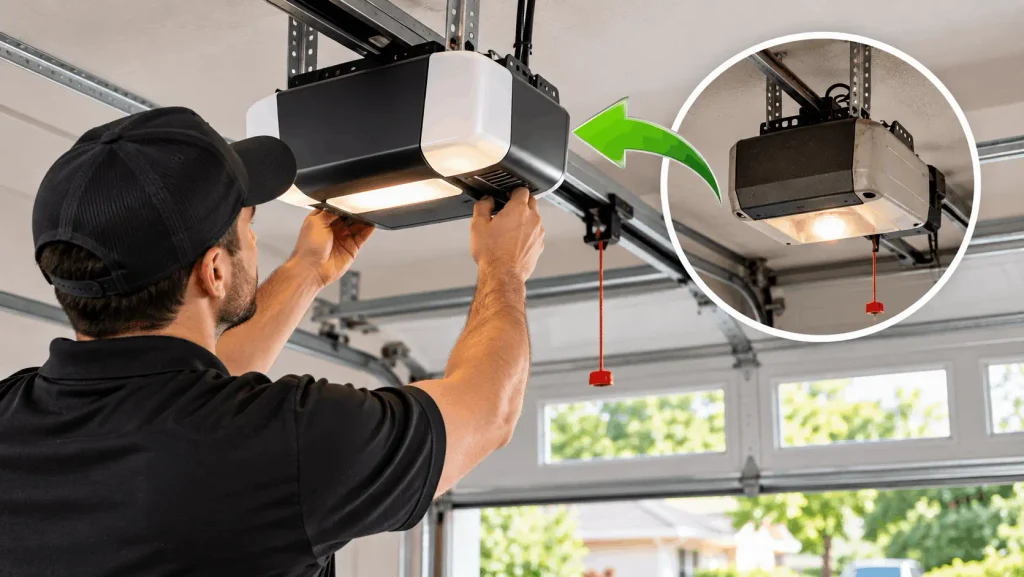
Before purchasing a new opener, identify what you want to improve. If the existing unit works properly but lacks smartphone control, a compatible retrofit controller may be enough.
If the opener struggles to lift the door, makes unusual noises, operates inconsistently, or fails to respond, the problem may involve worn components, electrical faults, sensors, or the door’s mechanical system.
In those situations, adding smart technology will not necessarily solve the underlying issue.
A professional inspection can help determine whether your current opener is suitable for an upgrade, needs repair, or should be replaced.
For residential and commercial properties in The Woodlands, TX, 2Quick Garage Doors provides garage door opener repair and installation services for opener problems and replacement needs.
If the garage door itself is damaged, unbalanced, or difficult to move, the issue may require broader garage door repair in The Woodlands, TX rather than an opener-only upgrade.
What to Consider Before Buying a Smart Garage Door Opener
Choosing the right model becomes easier when you evaluate the complete system instead of comparing feature counts.
First, confirm that the opener is compatible with your garage door’s size, weight, and construction. Consider the drive type and noise level for residential applications, or the operating demands and usage requirements for commercial facilities.
Next, check your Wi-Fi signal where the opener will be installed. A smart opener may have limited connectivity if the garage is outside the reliable range of your network.
Review the app’s capabilities and the manufacturer’s current subscription terms. Make sure the features you care about, such as alerts, automatic closing, video access, or guest permissions, are available under the plan you intend to use.
Finally, consider safety and maintenance. The opener should have functioning safety sensors, appropriate reversing protection, and a manual release that can be used according to the manufacturer’s instructions. Smart connectivity is an addition to these essentials, not a replacement for them.
Professional Garage Door Opener Installation in The Woodlands, TX
A smart garage door opener needs to be compatible with the door, correctly installed, and configured to operate as intended. The installation process may involve mounting the opener, connecting controls and sensors, setting travel limits, configuring the app, and testing the system.
If you are replacing an older opener, it is also a good opportunity to check the door’s balance, tracks, rollers, cables, and springs. An opener should not be expected to compensate for a door that is mechanically damaged or improperly balanced.
For residential properties, the right system can improve everyday convenience and access. For commercial properties, selecting an opener that matches the door and its intended operating demands is especially important.
2Quick Garage Doors helps residential and commercial customers in The Woodlands, TX, with garage door opener repair and installation. Whether you are troubleshooting an existing unit or considering a new opener, the right solution starts with understanding the condition of your current system and the features you actually need.
If your opener is not responding, is making unusual noises, or is struggling to operate the door, explore our garage door opener repair and installation service to learn more.
For problems affecting the entire door system, visit our garage door services in The Woodlands, TX page to explore available repair, installation, and maintenance options.
Final Thoughts: Choose Smart Features That Solve Real Problems
The best smart garage door opener is not necessarily the model with the most features. It is the one that provides dependable operation, appropriate safety and security, and useful convenience without unnecessary expense.
For many residential properties, Wi-Fi connectivity, smartphone alerts, and automatic closing are practical upgrades. Battery backup is worth considering when uninterrupted garage access matters. Cameras, voice control, and advanced automation can be valuable, but they should match the property’s actual needs.
For commercial properties, opener compatibility, access management, operating demands, and dependable performance should be central to the decision.
Before replacing your opener, check whether your existing system can support a smart controller. If the opener or garage door is already experiencing problems, address those issues before investing in connected features.
For help choosing, repairing, or installing a garage door opener, contact 2Quick Garage Doors. We provide garage door opener solutions for residential and commercial properties in The Woodlands, TX, based on the existing system and its requirements.
Frequently Asked Questions
What smart garage door opener features are worth paying for?
Built-in Wi-Fi, useful smartphone alerts, and automatic closing are valuable for many users. Battery backup is worth considering when access during power outages matters. Cameras, voice control, and advanced automation are optional and depend on your requirements.
Are smart garage door openers worth the extra money?
They can be worth the additional cost if you regularly use remote access, want to know when the garage door opens or closes, or need connected home features. If you only use a remote or wall button, a traditional opener may meet your needs.
Can I make my existing garage door opener smart?
Often, yes. A compatible retrofit smart garage door controller can add smartphone monitoring and control to certain existing openers. Check compatibility, sensor requirements, connectivity, and subscription terms before purchasing.
Do smart garage door openers work without Wi-Fi?
Basic operation through a compatible wall button or remote generally continues when Wi-Fi is unavailable, provided the opener has power and is functioning properly. Remote app control and cloud-based features may stop working until connectivity returns.
Are smart garage door openers more secure than traditional openers?
Smart openers can add remote alerts, access management, and activity monitoring. However, modern traditional openers may already use rolling-code security. Overall security depends on the opener’s technology, account protection, installation, and how access is managed.